Water reminder for Mac
Remember water.
Enjoy the company.
A little companion that makes water breaks part of your Mac workday.

Coming soon to the Mac App Store
macOS 14+ · Apple silicon & Intel · English interface
No account to create. Your logs stay on your Mac.
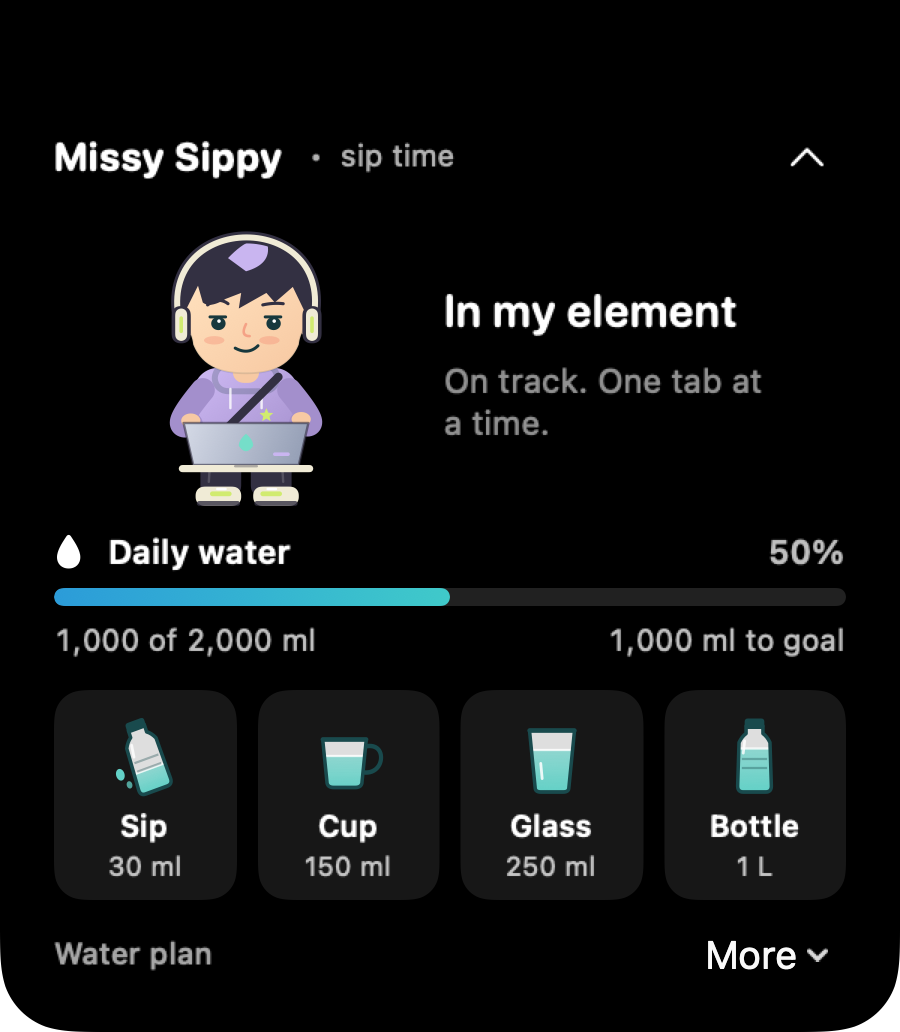
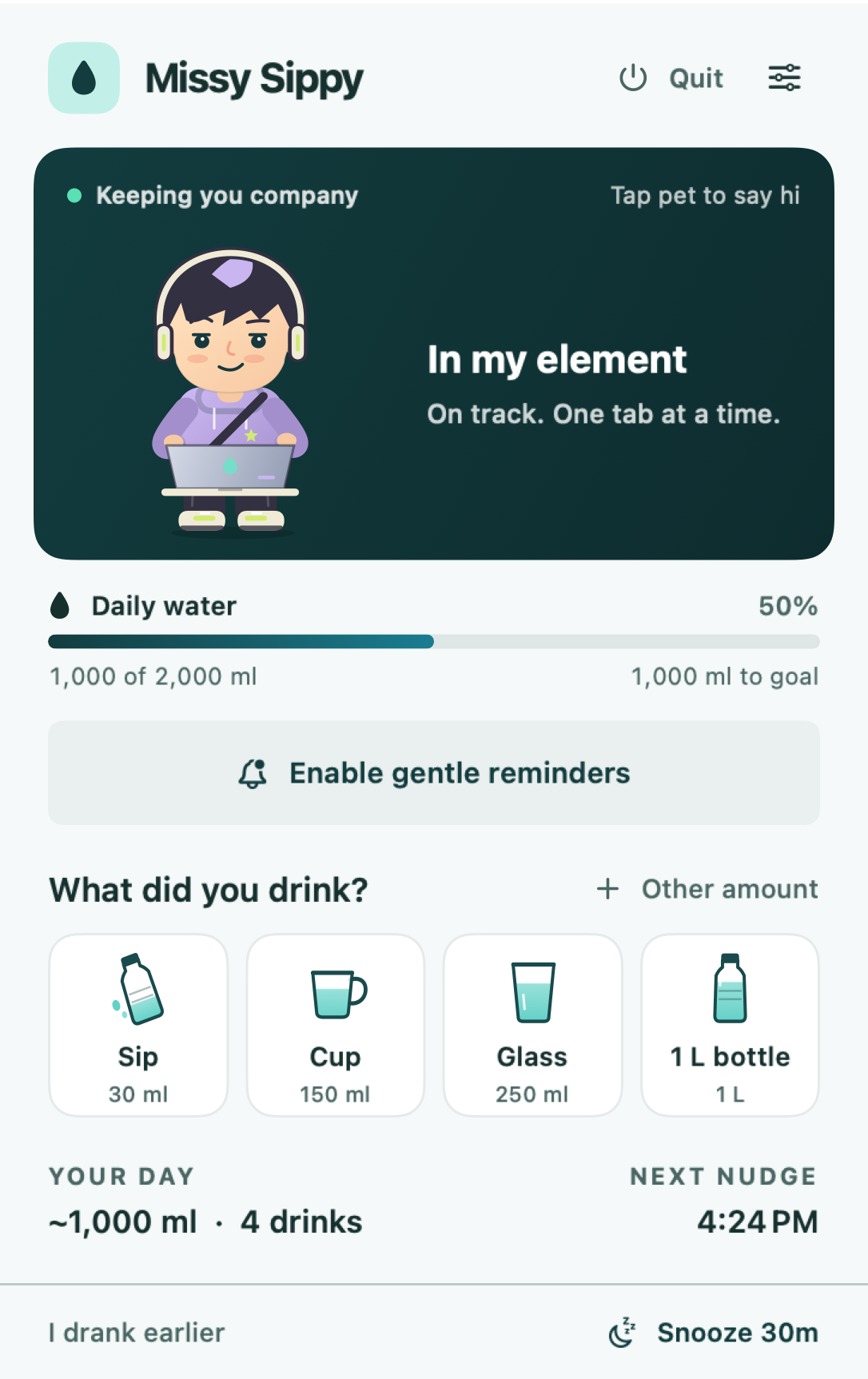
Actual app view, enlarged. Sample data shown.
A small presence.
A welcome pause.
Your companion works on a tiny laptop, just like you. It changes expression as your water plan moves through the day.
Click to open your drink choices. Keep it beside your notch or switch to a roaming desktop pet. It works on screens without a notch, too.
See how it fits your MacA sip. A click.
Back to your day.
Choose a sip, cup, glass or finished bottle. Log another amount whenever you need.
A little sip
30 ml

Your cup
150 ml
A glass
250 ml
A full bottle
1 L
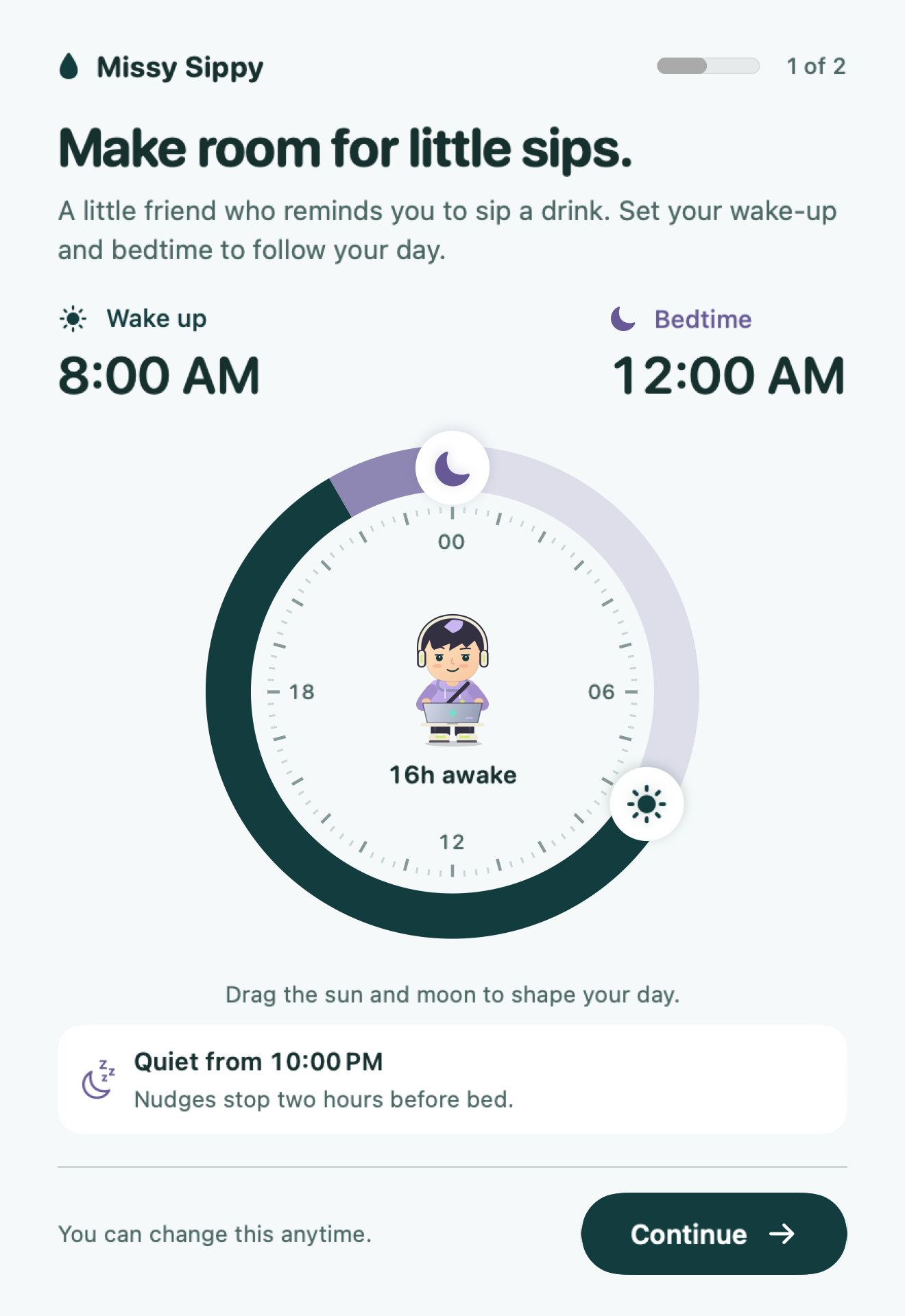
Your waking hours.
Your water rhythm.
Shape your day with a circular schedule. Reminders stop two hours before bed, and after you meet your chosen goal.
Snooze when you’re busy. Adjust your goal or use reminders without a daily target. You stay in control of the interruptions.
A little more water.
A little more company.
A habit that lives quietly alongside your work.
Your water log
belongs to you.
Your drinks, daily plan and preferences are stored locally. There’s no app account, advertising or cloud sync.
Read our privacy policy- Stored on your Mac
- Water entries, schedule, goal and preferences.
- Optional notifications
- You choose whether to enable them.
- A habit, not a diagnosis
- Expressions reflect your records, not your body’s hydration.
A few good questions.
What is Missy Sippy?
A native water reminder and daily intake tracker for Mac, with an expressive little companion beside your notch or roaming across your desktop.
When can I download the app?
The Mac App Store release is being prepared. This website shows the actual app, but the download is not available yet. You can explore the preview and read the setup guide in the meantime.
Does my Mac need a notch?
No. On a display without a notch, the companion appears near the menu bar. You can also switch to the roaming desktop pet in settings.
Can I use reminders without a water goal?
Yes. Choose “Use reminders without a daily goal” during setup. If you choose a goal, you can adjust it in your water plan.
Where do my water logs go?
Your water logs, schedule and preferences stay in local storage on your Mac. The app has no account system, advertising, analytics SDK or cloud sync. Read the privacy policy.
Which Macs and languages are supported?
Missy Sippy requires macOS 14 or later and supports Apple silicon and Intel Macs. The app interface is currently English. Amounts are displayed in ml and L.
Does the companion measure hydration?
No. Its expressions follow your logged drinks and schedule. Missy Sippy is a habit reminder, not a medical device or a measurement of dehydration. Follow your care team’s guidance if you have a prescribed fluid plan.

Make room for little sips.
Missy Sippy is coming soon to the Mac App Store.
Try a sip